Edit
Props and overlays
Arrows, highlights, callouts, stickers and text that animate on your video and can follow your clicks.
Add a prop
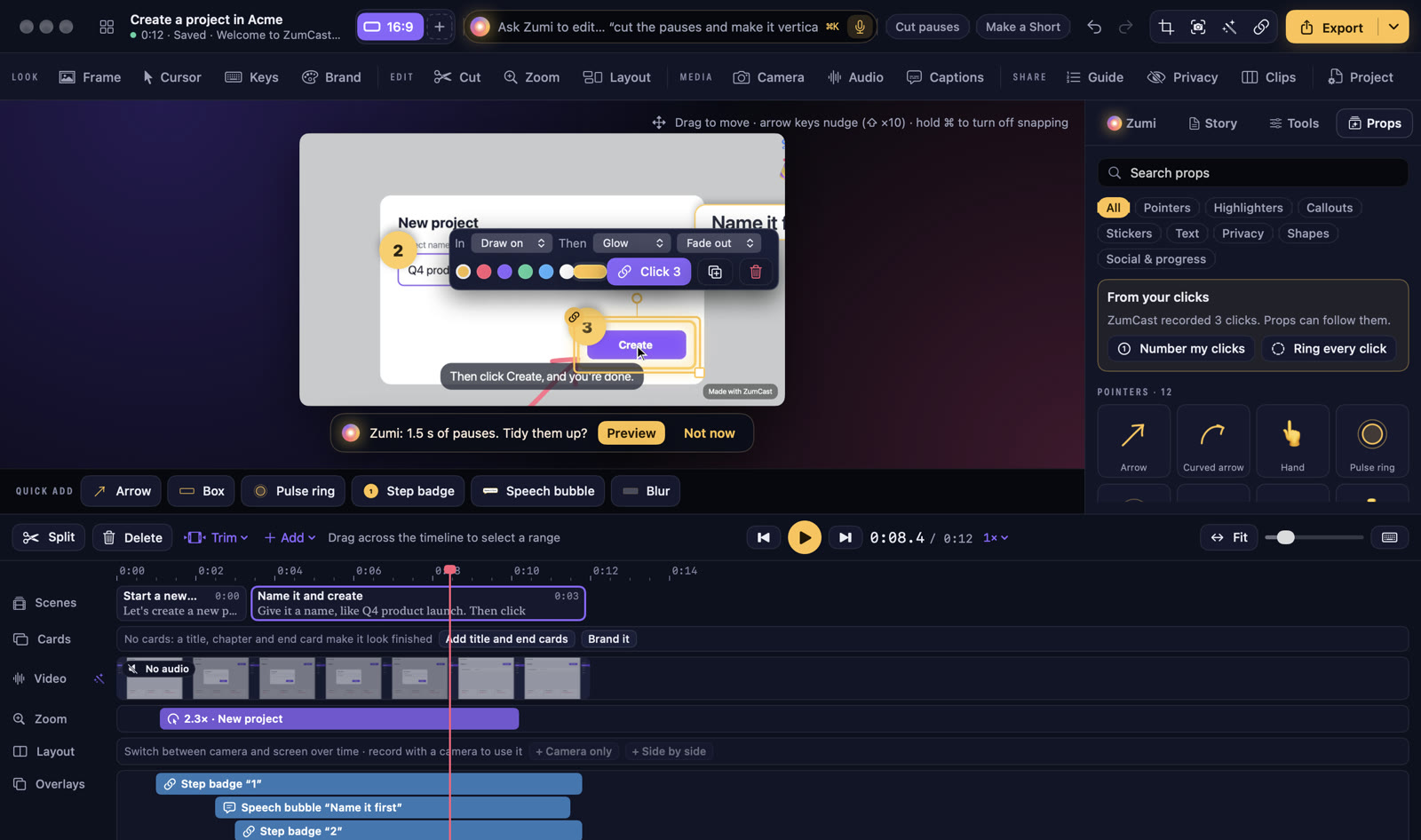
- Open the Props tab and drag a prop onto the video, or click it to add it at the playhead.
- The Quick add bar under the video has the most used ones: Arrow, Box, Pulse ring, Step badge, Speech bubble and Blur.
- Search props by name, or filter by group.
Follow your clicks
ZumCast knows where you clicked. In From your clicks, press Number my clicks to put a numbered step badge on each click, or Ring every click for a pulse ring.
Any prop can be attached to a click: it starts 0.6 s before the click and snaps to the element you clicked, so it stays in place as the video zooms.
Change a prop
Select a prop to show its bar: how it comes in (for example Draw on), what it does while on screen (Glow), how it goes out (Fade out), its colour, the click it’s attached to, duplicate and delete.
- Drag to move, and drag a handle to resize.
- Arrow keys nudge it; hold ⇧ for 10×. Hold ⌘ while dragging to turn off snapping.
- Its timing is on the Overlays lane; drag the edges. Props last 2.5 s by default.
All props
| Group | Includes |
|---|---|
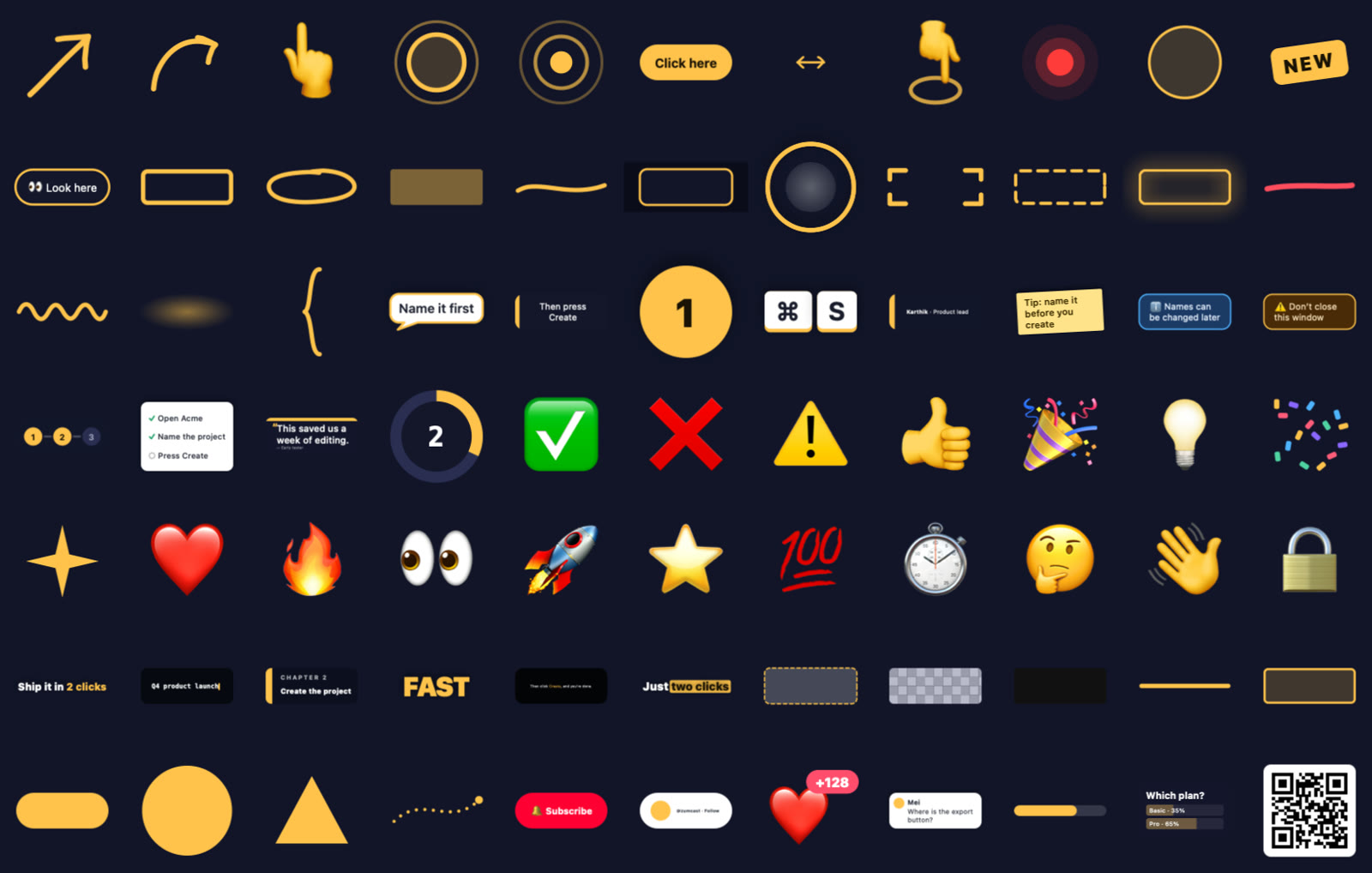
| Pointers | Arrow, curved arrow, hand, pulse ring, click ripple, “Click here”, finger tap, laser dot, cursor halo, New badge, Look here |
| Highlighters | Box, circle, marker, underline, spotlight, magnifier, focus corners, dashed box, glow outline, cross out, squiggle, bracket |
| Callouts | Speech bubble, tooltip, step badge, key caps, name tag, sticky note, info and warning banners, step tracker, checklist, quote card, countdown |
| Stickers | 18 stickers, from a check mark and thumbs up to a rocket and confetti |
| Text | Pop title, typewriter, chapter card, kinetic word, subtitle bar, highlight word |
| Privacy | Blur, pixelate, redact bar |
| Shapes | Line, rectangle, pill, dot, triangle, dotted connector |
| Social & progress | Subscribe, follow, like burst, comment, progress bar, poll, QR code |
Zumi can place props too: “highlight the Create button” or “number my clicks”.